Showing posts with label jquery mobile. Show all posts

Wednesday, February 19, 2014

IBM Worklight Mobile Application Development Essentials

Yes this Blog entry title is the name of my first written book and yes this the reason why no post appear on this blog since last. I feel lucky enough to get the chance to work for Royal Cyber Inc.Yes, since start I am engage here with IBM new product Worklight and in the first 7 months I become Certified of "IBM Mobile Application Developer - Worklight" while sharing article and tutorial on IBM Worklight I got an opportunity to write this book from PACKT publishers to expose what it holds along with my experience in this wonderful IBM solution.

This product already attracts me in first place when I completed my first demo application and deployed on real device by following a very few steps.
I am happy to announce my first written book with co-Author Talha Haroon on IBM Worklight. Currently available on PACKT website. The chapters of this book are designed in a steps through guide manner where novice/experienced reader can easily follow it with sequence like introduction, installation, Basic application and ended up on Advance IBM Worklight Features.In General this book is targeting developer/programmer with a very minimum expertise in HTML and  JavaScript to become mobile application developer and able to build hybrid application efficiently for multiple mobile platform such as Android, iOS, blackberry and windows phone.
Here is List of Highlighted chapters:
  • Chapter 1, Getting Started with IBM Worklight
  • Chapter 2, Installing Worklight
  • Chapter 3, Creating a Basic Worklight Application
  • Chapter 4, Customizing the Worklight Application
  • Chapter 5, Adding an Adapter
  • Chapter 6, Authentication and Security
  • Chapter 7, Advanced Features of IBM Worklight
Looking for everyone feedback on this.

Friday, May 31, 2013

Use SQL Adapter in IBM Worklight 5.0.x

I prepare a simple demo app for team to knowledge sharing to achieve a related goal into worklight.
then I think about why not share on blog by following a great dialog stated "Human knowledge belongs to the world" in movie (I don't remember which one :).

In this blog entry I am not going in much about introduction of Worklight and some of its component but expecting a reader to do few reading using a Google or IBM info center. So

IBM Worklight provide multiple adapters to interact with different media and work as mediator between mobile application and enterprise system. please follow the link to read Overview of IBM Worklight  Adapters. This entry is cover the SQL Adapter.


What is SQL Adapter?

The name itself is expressing, it provides access to enterprise databases to execute the parametrized SQL queries and stored procedures that retrieve or update data in the database.
Below image is illustrate high-level process involve.


Its Time for Action

Before start assuming you have already setup Worklight environment and now follow the steps is to create a SQL Adapter in Worklight.I have running my MySQL database on my local system. Please follow the step 1 to use this script add table into your schema.
Step 1:
CREATE TABLE `product` (
  `productID` int(11) NOT NULL AUTO_INCREMENT,
  `productName` varchar(255) DEFAULT NULL,
  `Qty` int(10) DEFAULT '0',
  `Model` varchar(255) DEFAULT NULL,
  `price` int(10) DEFAULT '0',
  PRIMARY KEY (`productID`)
) ENGINE=InnoDB AUTO_INCREMENT=6 DEFAULT CHARSET=utf8

now next step is to create Worklight Adapter.

Step 2:

after hit the finish button this will create the adapter with name Product under adapters folder include 2 files Product.xml and Product-impl.js.

  • Product.xml (to define Data Source for DB and declare procedures you target to invoke)
  • Product-impl.js ( to defined queries to invoke against every procedure you defined in Product.xml)

Now open the Product.xml file and do define the Datasource like this.
<connectivity>
<connectionpolicy xsi:type="sql:SQLConnectionPolicy">
   <datasourcedefinition>
     <driverclass>com.mysql.jdbc.Driver</driverclass>
     <url>jdbc:mysql://localhost:3306/demo</url>
     <user>root</user>
     <password>root</password>
   </datasourcedefinition>
</connectionpolicy>
  <loadconstraints maxconcurrentconnectionspernode="5">
</loadconstraints>
</connectivity>
Note: You have to include “mysql-connector-java-5.1.24-bin.jar” library. If you don’t have one, then download here Download.

if you see your Product-impl.js file you find all you procedures in Step 2 image are automatically generate structure for developer to just change the column name and redefined the query as per need like below. for short explanation I am include two procedure code snippet here one is getProducts fetch all the project and another one is to insert.

/* Select Statement */
var selectProductStatement = WL.Server.createSQLStatement("select "+
"productID, productName, Qty, Model, price from product "+
"ORDER BY productName");

function getProducts() {
 return WL.Server.invokeSQLStatement({
  preparedStatement : selectProductStatement,
  parameters : []
 });
}
/* Insert Statement */
var insertProductStatment = WL.Server
  .createSQLStatement("insert into product "+
" (productName, Qty, Model, price) values (?, ?, ?, ?)");

function addProduct(productName, qty, model, price) {
 return WL.Server.invokeSQLStatement({
  preparedStatement : insertProductStatment,
  parameters : [ productName, qty, model, price ]
 });
}
for testing adapter you can right click on adapter folder -> run as -> Deploy as Worklight adapter. once its deployed successfully you .
now to call this procedure in client side adding a example of Add product.

function addProductRec() {
   var validate = true;
   var query = {};
   if ($("#prod_name").val() != "") {
        query.productName = $("#prod_name").val();
   } else {
        validate = false; 
   }

   if ($("#prod_model").val() != "") {
        query.Model = $("#prod_model").val();
   } else {
        validate = false; 
   }
   
   if ($("#prod_qty").val() != "") {
        query.Qty = $("#prod_qty").val();
   } else {
        validate = false;
   }

   if ($("#prod_price").val() != "") {
        query.price = $("#prod_price").val();
   } else {
        validate = false;
   }

   if (validate) {
       var queryData = JSON.parse(JSON.stringify(query));

       WL.Client.invokeProcedure({
                adapter : "Product",
  procedure : "addProduct",
  parameters : [ queryData.productName, queryData.Qty,
                      queryData.Model, queryData.price ]
  }, {
                  onSuccess : function(result) {
                  $.mobile.changePage("#list", {
          transition : "slide",
   reverse : false,
   changeHash : false
           });
                 getProductsRec();
  },
    onFailure : failureCallback
  });
 } else {
            alert("All fields required");
 }
}
now we are done and its time for testing.
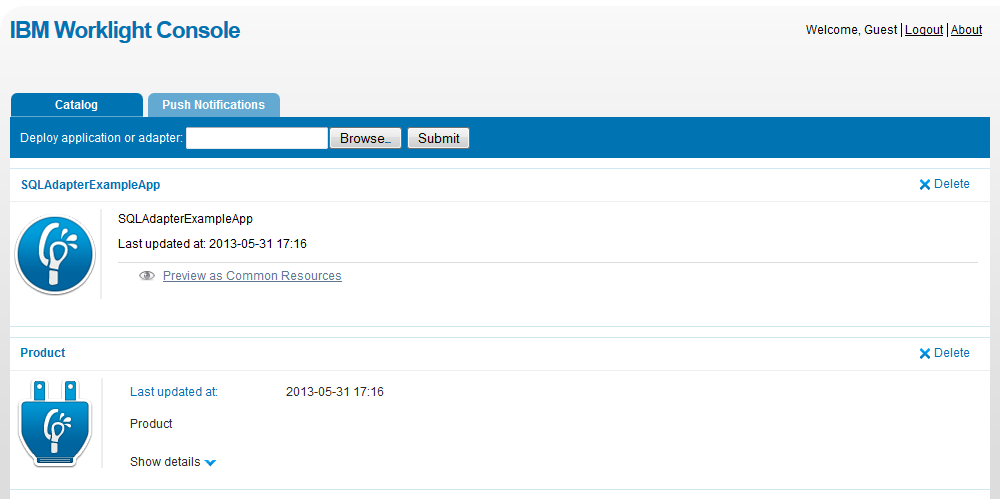
Worklight Console : Screen 1
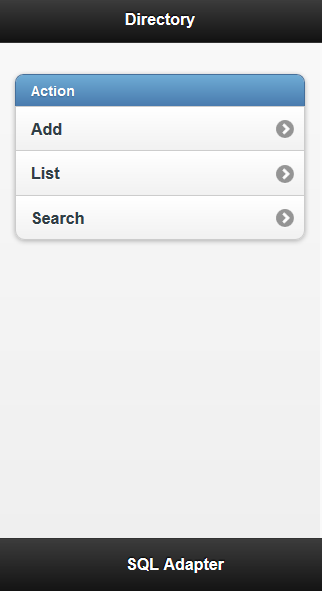
Worklight Console : Application Screen


Please click here to download the source code.